TW Extension -TextDisplayDialogs v1.2
TW Extension -TextDisplayDialogs
💬 TextDisplay Dialogue Extension
Use Minecraft TextDisplay entities as immersive dialogues inside TypeWriter.
✨ Overview
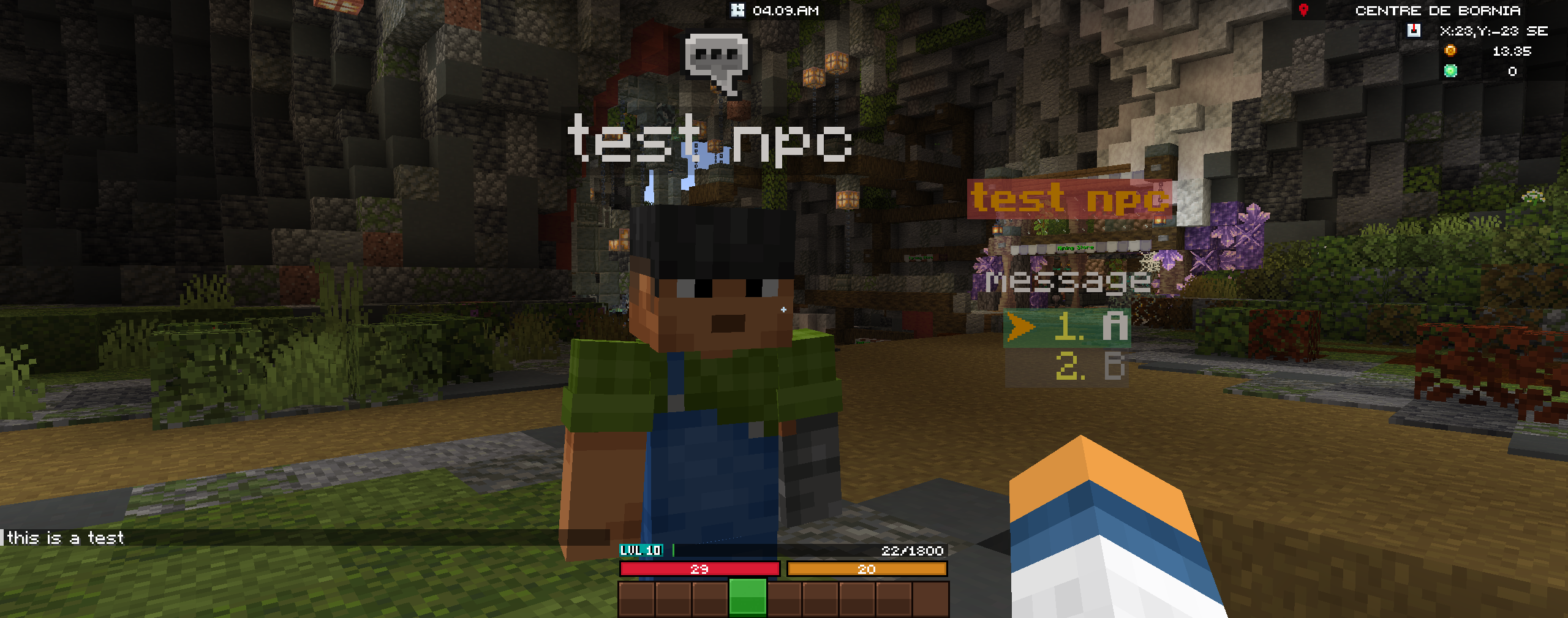
This extension adds support for TextDisplay-based dialogues in TypeWriter. Instead of using only chat or classic UI, you can render dialogues directly in the world using TextDisplay entities – perfect for in-world captions, holograms, and cinematic subtitles.
- 🪧 Show in-world dialogue lines via TextDisplay.
- 🎛 Configure options, spoken lines and cinematic flows.
- ⏱ Control display duration via a TypeWriter placeholder.
- 🎬 Combine with cinematics for fully diegetic story moments.
🪧 World-Space Dialogues
- Show text directly above NPCs, objects or locations.
- Keep the player immersed without relying on chat spam.
- Use it for signs, floating captions, holograms, and more.
🎙 Spoken & Cinematic Lines
- Display spoken lines during a dialogue sequence.
- Time your text with camera movements and sounds.
- Perfect for cutscenes and key story beats.
⏱ Timer Integration
- Control how long text remains visible.
- Drive pacing with a dedicated timer placeholder.
- Keep multi-line dialogues clean and readable.
🧩 Entries
These entries expose different ways to use TextDisplay dialogues in your TypeWriter flows.
textdisplay_option– Add an Option TextDisplay Dialogue.
Use this to show choice-based or menu-like options via TextDisplay.textdisplay_spoken– Add a Spoken TextDisplay Dialogue.
Ideal for character lines, short speech bubbles or NPC “talking” text.textdisplay_cinematic– Add a Cinematic TextDisplay Dialogue.
Designed for cutscenes and scripted sequences, synchronized with camera and events.
⏱ Timer Placeholder
The extension provides a dedicated placeholder to control and/or display the dialogue timer.
%typewriter_textdisplaydialogue_timer% |
Represents the remaining or configured time for the current TextDisplay dialogue. |
You can use this placeholder in UI elements or other text fields to show a countdown or simply to drive logic based on remaining time.
🧪 Usage Ideas
- Show floating subtitles during boss fights or major events.
- Display “thoughts” of the player or NPCs above their head.
- Create tutorial panels in the world with short, readable text.
- Combine with cinematics to sync text with camera pans and sound effects.